@gavin-hu/my-pi-agent
Personal Pi customizations, packaged as a Pi package: worktree isolation and rewind snapshots, question, todo, goal, plan, serve, subagent, job, watch, web-access, file-browse, file-open, file-read, memory, context, session-bus, board, team, wechat, and b
Package details
Install @gavin-hu/my-pi-agent from npm and Pi will load the resources declared by the package manifest.
$ pi install npm:@gavin-hu/my-pi-agent- Package
@gavin-hu/my-pi-agent- Version
0.26.0- Published
- Nov 11, 2026
- Downloads
- 6,752/mo · 1,416/wk
- Author
- gavin-hu
- License
- MIT
- Types
- extension, skill, theme
- Size
- 6.7 MB
- Dependencies
- 8 dependencies · 5 peers
Pi manifest JSON
{
  "image": "https://raw.githubusercontent.com/gavin-hu/my-pi-agent/main/assets/screens/chrome.png",
  "video": "https://raw.githubusercontent.com/gavin-hu/my-pi-agent/main/assets/video/demo.mp4",
  "skills": [
    "./skills"
  ],
  "themes": [
    "./themes/*.json"
  ],
  "extensions": [
    "./extensions/serve/index.ts",
    "./extensions/worktree/index.ts",
    "./extensions/rewind/index.ts",
    "./extensions/question/index.ts",
    "./extensions/todo/index.ts",
    "./extensions/goal/index.ts",
    "./extensions/plan/index.ts",
    "./extensions/subagent/index.ts",
    "./extensions/job/index.ts",
    "./extensions/watch/index.ts",
    "./extensions/web-access/index.ts",
    "./extensions/file-browse/index.ts",
    "./extensions/file-read/index.ts",
    "./extensions/file-open/index.ts",
    "./extensions/memory/index.ts",
    "./extensions/context/index.ts",
    "./extensions/board/index.ts",
    "./extensions/team/index.ts",
    "./extensions/session-bus/index.ts",
    "./extensions/wechat/index.ts",
    "./extensions/bytefly/index.ts"
  ]
}
Security note
Pi packages can execute code and influence agent behavior. Review the source before installing third-party packages.
README
my-pi-agent
English · 简体中文


my-pi-agent is a single Pi package that adds a curated set
of extensions, skills, and themes to the agent you already use — install the pack, turn
off what you do not want, and keep using Pi unchanged.
This page is the catalog and the setup instructions. Each feature's own page
under docs/extensions/ carries the keys, the commands, and
what you should see.
Contents
- Why this pack
- Install
- What you get
- What runs on its own
- Configuration
- Documentation
- Contributing
- License
Why this pack
Pi ships a small, sharp core. This package is the layer on top for people who want the agent to think first and work safely:
- Plan, then execute. A read-only mode turns a task into a reviewed plan file that the agent then follows step by step.
- Delegate and parallelize. Specialist subagents in their own Pi processes, long builds in background jobs, and several sessions on one repository through a shared bus.
- Never wreck the checkout. Isolation is one command: the task moves onto its
own branch in a
git worktree, and each prompt's first change is snapshotted, so a bad turn is one/rewindaway. - Remember across sessions. Durable notes live in plain markdown that you can read, edit, and version.
- Reach the web and your files. Search, fetch, browse, open, and read documents and spreadsheets from inside the session — and answer a WeChat chat through a bridge to the live session.
Install
Requires a working Pi installation.
pi install npm:@gavin-hu/my-pi-agent                        # the latest release
pi install git:github.com/gavin-hu/my-pi-agent@v0.26.0      # a pinned release
git on PATH is needed by worktree and
rewind; everything else degrades or disables
cleanly, and /bytefly doctor names what is missing, including optional runtime
pieces. Windows, macOS, and Linux all work, and the full check suite runs on each
in CI.
Everything is optional and independently toggleable. Nothing is forked, and no
installed Pi file is written to: Pi discovers the resources through the pi
manifest in package.json, so the pack upgrades with Pi like
any other.
Then, from inside Pi:
/byteflyopens the control center: the fifteen preferences a session changes, every loaded extension and skill with its checkbox, and the doctor report that names anything missing at runtime./plan <task>starts a task in read-only planning mode./skill:initcreates or updates the instruction file Pi reads through a short interview and a plan you review first.
What you get
21 extensions, 3 packaged skills, and 2 themes, grouped by the work they serve.
Each extension's own page in docs/extensions/ has the full tool
and command surface, opening with its capabilities.
Plan and delegate
| Extension | Tools and commands | What it does |
|---|---|---|
plan |
plan, /plan, --plan |
Read-only planning: the model investigates, then you approve the plan before anything is written. |
subagent |
subagent, /agents |
Delegate to a specialist agent in its own Pi process — single, parallel, chained, or in the background. |
todo |
todo, /todos |
A persistent task list with one item in progress, drawn as a one-line widget. |
goal |
goal, /goal |
A durable session objective, kept in a widget and restated before each turn. |
question |
question |
Ask you structured questions with labelled options, and wait for the answer. |
job |
job, /jobs |
Run long-lived shell commands in the background; read the log, wait, or kill them. |
watch |
watch, /watch |
Tail a file or a command's output, and alert you or hand a matching line to the agent. |
session-bus |
session, /sessions (screen) |
Coordinate parallel sessions on one repository: peers, short messages, an inbox, and path claims. |
serve |
— | The session's one loopback server, so /board, /browse, and a plan review share one port. |
board |
board, /board |
One shared feature board per repository, two signatures before a card ships. |
team |
team, /team |
The lead's round over that board: assign, offer, reclaim, claim, ask — spawning nothing. |
context |
/context |
Show where the context window goes, and compact from the report. |
Keep your work safe
| Extension | Tools and commands | What it does |
|---|---|---|
worktree |
worktree, /worktree (screen), /worktree enter|exit|prune, --worktree |
Work in an isolated git worktree on its own branch; the built-in tools follow. |
rewind |
/rewind, ↺ N status chip |
Snapshot before each prompt's first change, then restore code, conversation, or both. |
memory |
memory, /memory |
Durable cross-session notes as markdown you can read, edit, and version. |
Reach the world
| Extension | Tools and commands | What it does |
|---|---|---|
web-access |
web_search, web_fetch |
Search the web and fetch a page as readable text, with paging, find, and SSRF checks. |
file-browse |
/browse |
A loopback, read-only browser for the working directory, with Markdown preview and quick open. |
file-read |
read_doc |
Extract text from a local PDF, DOCX, DOC, ODT, RTF, or XLSX in process, paged. |
file-open |
/open, open_path |
Open or reveal a file or directory in the OS's own application. |
wechat |
/wechat, send_wechat |
Bridge one WeChat chat to the live session: inbound message in, streamed answer out. |
Chrome and upkeep
| Extension | Tools and commands | What it does |
|---|---|---|
bytefly |
/bytefly (with the doctor, settings, skills, update, and upgrade subcommands), run_doctor |
The visible layer: header, footer, transcript blocks, the settings screen, notifications — and bytefly.json, the config every extension reads. |
Skills
Packaged workflows loaded on demand: each skill's name and description are
advertised to the model, and its instructions load only when the task matches
(/skill:<name> forces one).
| Skill | What it does |
|---|---|
init |
Creates or updates the instruction file Pi reads, through an interactive interview and a plan you review. |
refactor |
Audits for duplication, oversized modules, coupling, and drift, then carries the refactor you pick. |
next |
Suggests what to do next from this conversation, or from the tree when it is empty. |
Themes
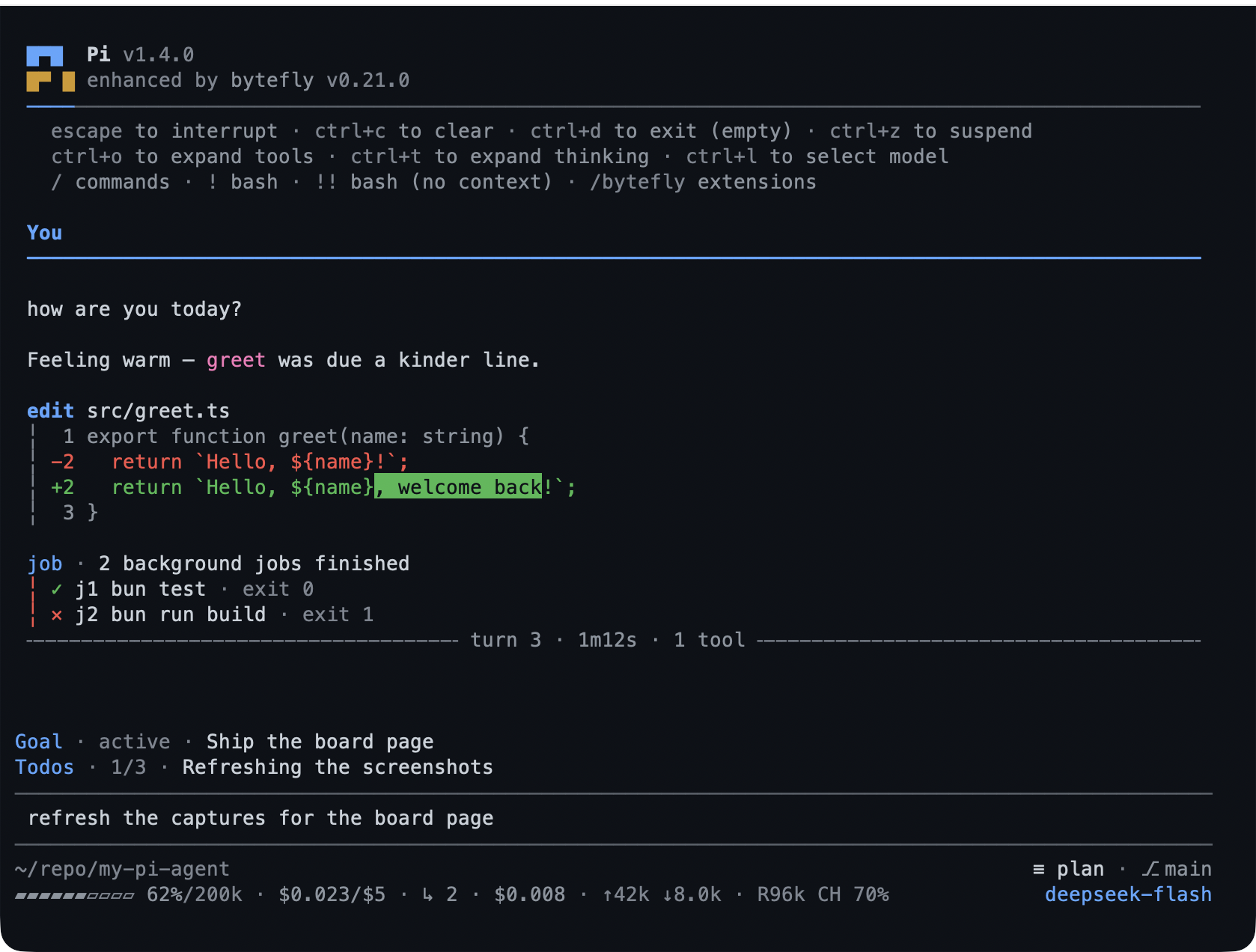
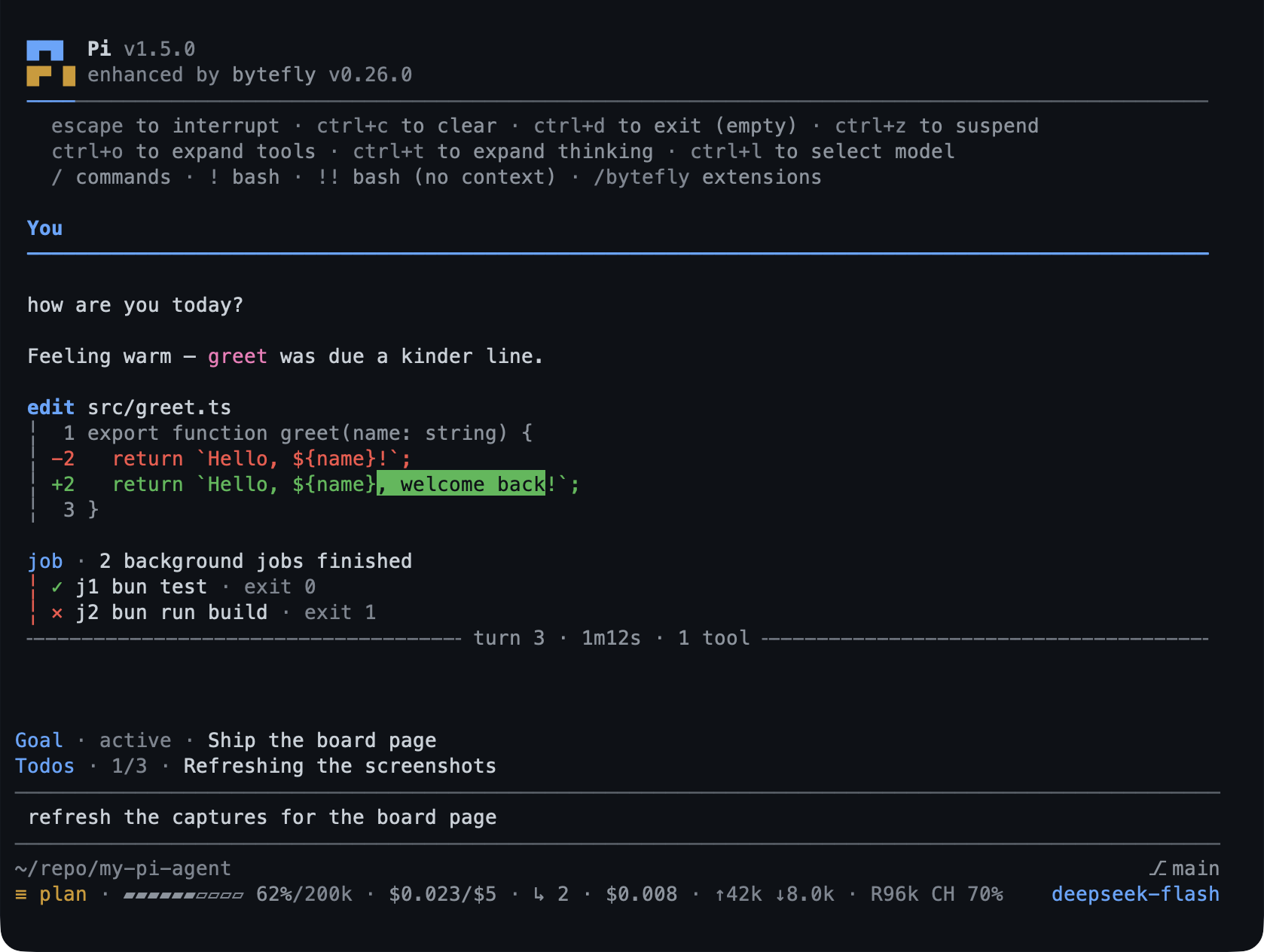
bytefly-dark is a GitHub-inspired dark palette
and bytefly-light its light companion, with
optional automatic light/dark switching. Installing the pack does not change
your theme: pick one through /settings → Theme (or /bytefly settings →
Theme), or set "theme" in Pi's settings.json to
"bytefly-light/bytefly-dark" for switching. The screenshot above
uses bytefly-dark.
Frames come from assets/screens/, and the pages under
docs/extensions/ use them where a screen shows what the
extension does. The tools are one gallery,
assets/screens/tool-renderings.png:
bun run capture:tools regenerates it, and bun run capture:tool-pngs writes one
PNG per tool into assets/tools/.
What runs on its own
Once per interactive session, bytefly asks Pi's package manager which
configured packages are behind and posts one themed notice naming
pi update --extensions; a newer Pi gets one naming pi update. Nothing about
the session is sent, and PI_OFFLINE skips the check —
bytefly's page has the header marker and the
cache, docs/security.md the trust boundaries.
Configuration
Most extensions need no configuration. Every extension setting lives in one
shared document, bytefly.json, read from <agent-dir>/bytefly.json and
merged with <cwd>/.pi/bytefly.json (project wins), under a top-level section
named for the extension. Each extension's page under docs/extensions/ covers
the behaviour around its keys, and
docs/configuration.md has the resolution rules, the
settings screen walkthrough, and every section's keys with their type, default,
and bounds.
Every extension is on by default. To load the pack without some of them, name them
in PI_DISABLED_EXTENSIONS (the directory names under extensions/):
PI_DISABLED_EXTENSIONS=todo,job pi -e .The variable only stops those factories from registering, and
configuration has its rules; to
drop the whole package, use Pi's --no-extensions or remove it from your settings.
Documentation
| Guide | What it covers |
|---|---|
| Documentation site | The browser edition: a home page, install and configuration, and a sidebar over every extension page. |
| Install | Adding the pack, pinning a release, upgrading, and removing it. |
| Configuration | Resolution and the settings screen; configuration-reference.md lists every key with its default and bounds. |
| Extension docs | One page per extension: what it does, how to try it, and the reference half — with a tutorial for each workflow. |
| Tools and commands | Every tool and slash command the pack registers, by name, with the page that owns it. |
| Security | Trust boundaries for the loopback and remote surfaces. |
| Contributing | Setup, the branch flow, the checks, and the release process. |
Contributing
Contributions are welcome. Start with CONTRIBUTING.md for
the setup, the worktree branch flow, and the checks a change must pass. AI
coding agents should read AGENTS.md.
License
MIT