pi-better-code-blocks
Org-modern style code blocks with a click-to-copy label in Pi's transcript
Package details
Install pi-better-code-blocks from npm and Pi will load the resources declared by the package manifest.
$ pi install npm:pi-better-code-blocks- Package
pi-better-code-blocks- Version
0.1.3- Published
- Nov 13, 2026
- Downloads
- 722/mo · 722/wk
- Author
- developer380
- License
- MIT
- Types
- extension
- Size
- 32.1 KB
- Dependencies
- 0 dependencies · 2 peers
Pi manifest JSON
{
  "extensions": [
    "./index.ts"
  ]
}
Security note
Pi packages can execute code and influence agent behavior. Review the source before installing third-party packages.
README
pi-better-code-blocks
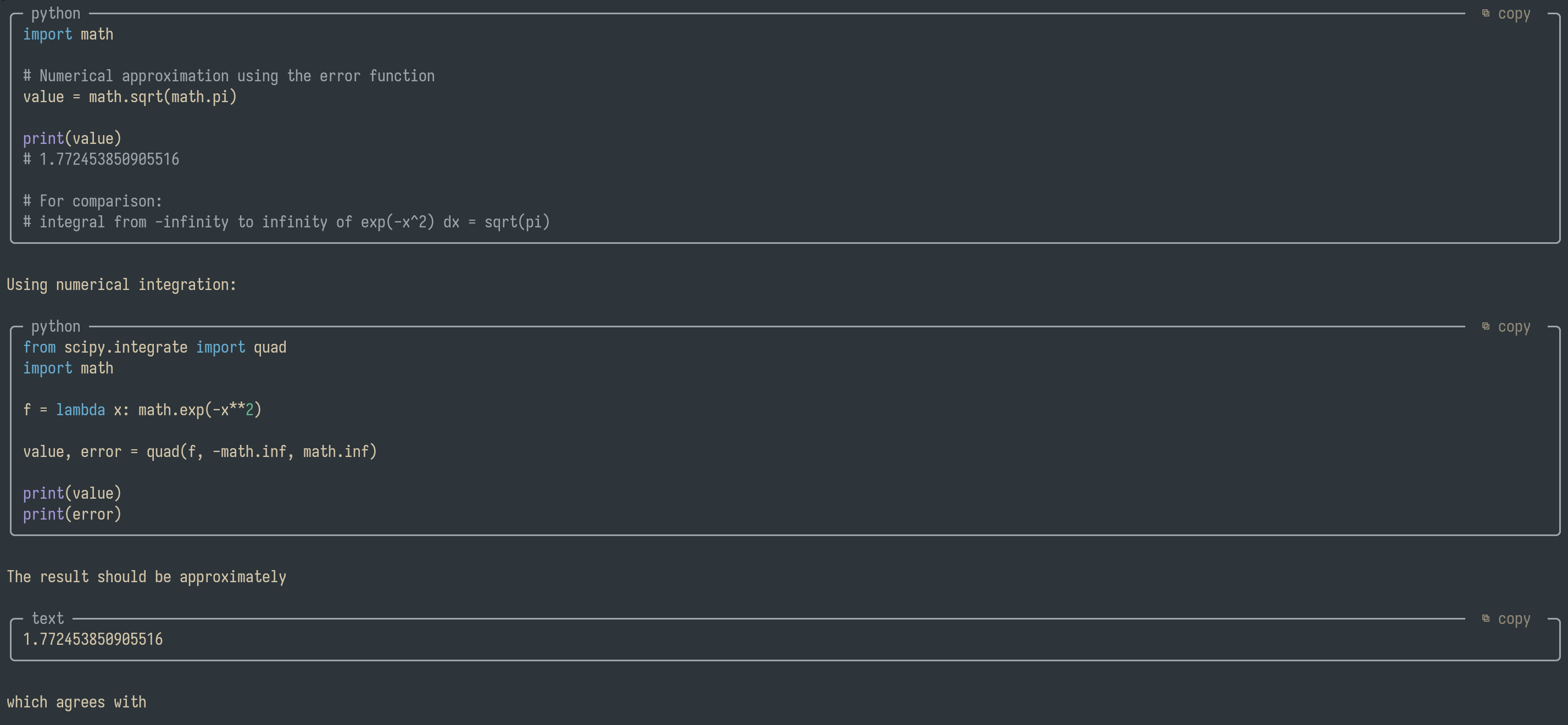
Code blocks in Pi's transcript are drawn as rounded,
org-modern-style boxes, with the declared language on the top border and a ⧉ copy label that
copies the code when clicked.
 ╭─ typescript ──────────────────────────────────────  ⧉ copy  ─╮
 │ export function greet(name: string): string {              │
 │   return `hello, ${name}`;                                 │
 │ }                                                          │
 ╰────────────────────────────────────────────────────────────╯
pi install npm:pi-better-code-blocks- The language is whatever follows the opening fence (
```ts,```python, …). Fences without a language still get a box, just no language label. - Clicking the label copies the code without the fences or indentation. It shows
✓ copiedfor 1.5s. Long lines wrap inside the box; the copied text is always the original source. - Boxes are drawn everywhere Markdown is rendered in the TUI: assistant replies, thinking blocks, user messages and tool output. Narrow contexts (a code block in a deeply nested list, a very small terminal) fall back to Pi's normal fences.
- Only the fullscreen TUI delivers mouse clicks to components, so the label is hidden in the regular TUI mode. The boxes still render.
- Plain clicks elsewhere, drag-selection and copy-on-select work as before.
How it works (hacky)
Pi has no public hook for how a Markdown code block is drawn
(earendil-works/pi#11276), so patch.ts
wraps the Markdown component's private renderToken and render, and adds handleMouse:
renderTokenreplaces eachcodetoken with the box frombox.ts.renderstrips a zero-width OSC marker from the label and records the label's row and column, so clicks map back to the right block after Pi has wrapped and padded the lines. Each block's marker carries an id that outlives the render, because Pi 1.5 reuses a block it has already drawn instead of askingrenderTokenagain.handleMousecopies the block and re-renders the label for 1.5s.- If another extension wraps a Markdown instance's
renderTokenafter this one,adopt()takes the outer slot back, so its wrapper cannot rewrite the boxes. It still gets every other kind of token, and any block too narrow to box.pi-tidyis the extension this exists for: its own code-block rules are what a wrapper would draw instead.
Built against Pi 1.5.0. If a Pi update renames these internals, the boxes disappear and Pi keeps working.
pi-better-render
pi-better-render draws assistant replies with
its own RichMarkdown component instead of Pi's Markdown, so patch.ts never sees those blocks.
better-render.ts hooks the factory that builds them and draws the boxes there instead:
- each complete fence is swapped for a one-line sentinel before the rich renderer lexes the text, and the box is drawn on the sentinel's row, so its layout (and its cache) still works;
- everything else — math, tables, mermaid diagrams, its own copy buttons — is rendered by it, untouched. Clicks outside a box are handed back with the row numbers it expects;
- a fence they draw as a diagram (
mermaid), one that is still streaming, one indented inside a list item and one too narrow to box all stay theirs.
/better-render off returns assistant replies to Pi's own renderer, and the boxes come back
through patch.ts. Thinking blocks, user messages and tool output always go through patch.ts.
If pi-copy-button is installed too, it decorates
the same Markdown instances and takes over their mouse handling, so its labels win and the
⧉ copy label here stops responding. The extension warns about this at startup; remove
pi-copy-button to use this one.
Development
npm install
npm run check
npm test
box.ts is pure and testable; patch.ts owns the Pi integration, and better-render.ts the
pi-better-render one.