pi-hashline-readmap
Unified pi extension: hash-anchored read/edit/grep, structural code maps, AST-grep, file exploration (ls/find), and bash output compression
Package details
Install pi-hashline-readmap from npm and Pi will load the resources declared by the package manifest.
$ pi install npm:pi-hashline-readmap- Package
pi-hashline-readmap- Version
0.25.0- Published
- Nov 11, 2026
- Downloads
- 2,290/mo · 685/wk
- Author
- coctostan
- License
- MIT
- Types
- extension
- Size
- 1.9 MB
- Dependencies
- 8 dependencies · 3 peers
Pi manifest JSON
{
  "extensions": [
    "./dist/index.js"
  ]
}
Security note
Pi packages can execute code and influence agent behavior. Review the source before installing third-party packages.
README
pi-hashline-readmap
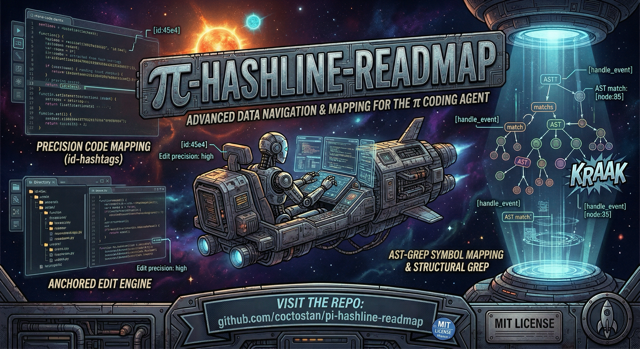


Upgrade Pi's local coding workflow with hash-anchored reads and edits, structural navigation, and safer file exploration.
pi-hashline-readmap replaces Pi's read, edit, grep, write, ls, and find; adds enhanced ast_search; retains deprecated optional nu; and strips ANSI codes from bash output, adding hints toward the dedicated tools. ls and find are deferred: registered and callable from codemode, but not declared to the model until you name them (--tools +ls,+find) or tool_search loads them, since measured against bash they did not earn their context (tool cost).
Bundled nu is deprecated but retained. It stays available for at least one published deprecation release; removal requires a separately announced breaking release after migration-example verification and the removal checklist pass. See Nu deprecation and migration.
Install
pi install npm:pi-hashline-readmapRequires Pi extension support and Node.js 22.19 or newer. Start a new Pi session after installing; sessions do not hot-reload extensions.
Validated compatibility baseline
Development, schema validation, and extension-load testing use the exact Pi version resolved by package-lock.json, currently Pi 1.5.2, with TypeBox 1.3.27. Pi provides @earendil-works/pi-coding-agent, @earendil-works/pi-tui, and typebox to loaded extensions, so those host-bundled packages intentionally retain "*" peer ranges; the development dependencies and lockfile record the versions validated by this repository.
Run the compatibility coverage through the normal test suite or by itself:
npm test
npm test -- tests/pi-extension-load-compatibility.test.ts tests/pi-host-null-pipeline.test.ts
npm run typecheck
The suite runs against one tested host, the locked Pi 1.5.2, and exercises its real tool pipeline as well as extension loading: through the host's loader, wrapper, agent-core pipeline, and ExtensionRunner, it checks required-null rejection, structuredContent passthrough, and real codemode scripts. Compatibility CI runs the suite and typecheck on that host, with an npm 11/12 matrix verifying both array and keyed-object npm pack --json output. To try a newer Pi, point PI_COMPAT_HOST at its install; see AGENTS.md.
The extension and the exact Pi host version resolved by package-lock.json share one Node.js engine baseline, currently Node.js 22.19 or newer. The loader compatibility test verifies that this package's engines.node declaration stays identical to the installed locked Pi host package's declaration.
To advance the compatibility baseline, update the Pi development dependency ranges in package.json and refresh package-lock.json with npm install, reviewing both changes together. Then run the focused compatibility test, the full npm test suite, and npm run typecheck before committing the update. Do not narrow the Pi-hosted wildcard peer ranges to encode the baseline.
# alternatives
pi install git:github.com/coctostan/pi-hashline-readmap

git clone https://github.com/coctostan/pi-hashline-readmap.git
cd pi-hashline-readmap
npm install
pi install .
30-second read/edit
Create a disposable file, read it, and copy the returned LINE:HASH anchor:
write({ path: "hashline-demo.txt", content: "hello, hashline!\n" })
read({ path: "hashline-demo.txt" })
1:f0c|hello, hashline!
Edit against that verified content:
edit({
  path: "hashline-demo.txt",
  edits: [{ set_line: { anchor: "1:f0c", new_text: "hello, anchored edits!" } }]
})
If the file changed between read and edit, the edit reports a mismatch instead of touching the wrong line. Delete hashline-demo.txt when finished.
Why use it?
- Tie edits to content-derived anchors rather than fragile line numbers.
- Jump to symbols, request maps, and include direct same-file support.
- Turn
grepandast_searchresults into edit-ready anchors. - Read supported images through Pi attachments.
- Create with
write; list files with bash, or turn onlsandfind, and compose structured results in codemode. - Read
bashoutput as Pi returns it, ANSI codes stripped, never summarized. - Use one coordinated extension instead of stacking overlapping read, grep, edit, and file-exploration packages.
Common workflows
Edit safely
Get fresh anchors from read, grep, ast_search, or write, then use set_line, replace_lines, or insert_after. Copy or move existing lines, within a file or from another file, with copy_lines and move_lines instead of retyping them. replace is an exact-text escape hatch. Deletion, overlap rejection, whole-symbol replacement, syntax checks, atomic writes, and structured diffs live in tool behavior and structured output. Anchor-looking text in new_text is kept unless it is a real pasted anchor row (literal: true keeps everything), and anchors made stale by your own line-shifting edit are remapped or refused, never applied to a different line.
Navigate large files
read({ path: "src/hashline.ts", map: true })
read({ path: "src/read.ts", symbol: "registerReadTool", limit: 80 })
read({ path: "tests/fixtures/small.ts", symbol: "createDemoDirectory", map: true })
read({ path: "tests/fixtures/small.ts", symbol: "createDemoDirectory", limit: 2, bundle: "local", map: true })
A symbol can combine with limit, map: true, and bundle: "local". An offset beside symbol is ignored with a params-adjusted notice, and bundle without symbol is invalid. Truncated full-file reads append a map when available. Dedicated mapper/runtime details are in configuration and dependencies.
Minified or generated files can contain very long lines that read clips at 500 characters. Raise the cap across a range with charLimit alone, or window one line with charOffset; the anchor stays the full line's, so edit still works:
read({ path: "dist/app.min.js", charLimit: 2000 })
read({ path: "dist/app.min.js", offset: 1, charOffset: 500 })
read({ path: "data.json", offset: 1, charOffset: 0, charLimit: 5000 })
charLimit defaults to 500 and is capped at 10,000; each clipped line or window names the next call to make.
Search and explore
grep({ pattern: "createDemoDirectory", path: "tests", literal: true })
grep({ pattern: "createDemoDirectory", path: "tests", summary: true })
grep({ pattern: "createDemoDirectory", path: "tests", scope: "symbol", scopeContext: 3 })
ast_search({ pattern: "console.log($$$ARGS)", lang: "typescript", path: "src", limit: 100 })
write({ path: "src/new-module.ts", content: "export const demo = 1;\n" })
ls({ path: "src", glob: "*.ts" })
find({ pattern: "*.test.ts", path: "tests", maxDepth: 2 })
Normal grep output has anchors; summary mode has counts only. ls lists one directory; find recurses by basename and respects .gitignore. Both are deferred: a default session declares neither, so name them with --tools +ls,+find or defaultTools, load them with tool_search, or call them from codemode scripts, where they are always callable. Deprecated nu still registers when Nushell is available; prefer tested source, discovery, and CLI composition recipes for general exploration.
ast_search patterns may start with - (--$A, -$A). A pattern ast-grep cannot parse returns Pattern failed to parse: … instead of "No matches found", and empty patterns are rejected up front.
write returns anchors for up to 2000 lines or 50 KB. Larger writes return a one-line summary (path, line count, bytes), so read with offset/limit before editing. Binary-looking content is written with a warning and no anchors.
Bash output
bash returns Pi's own output with ANSI codes stripped; nothing summarizes or trims it beyond Pi's own truncation, which keeps the last 2000 lines or 50 KB and names a Full output: file. A hint follows when a command reaches for a dedicated tool, such as rg for grep, or when the shell lacks timeout, naming bash's own timeout parameter. Scripts receive Pi's native Bash value. See the bash output contract.
Configuration
Most users need none. Global settings live at ~/.pi/agent/hashline-readmap/settings.json; project settings at .pi/hashline-readmap/settings.json; environment variables win. See configuration and local dependencies.
Structured output and integrations
Results retain readable text and additive details.ptcValue records. See structured output and codemode and integration surfaces.
On Pi 1.1+, enable codemode additively with pi --tools +codemode or "defaultTools": ["+codemode"], preserving your existing selection. Scripts receive Hashline structured values, including fresh LINE:HASH anchors and raw grep records. See tested codemode recipes for compact projections, failure handling, image variants, search/edit chains, and small cross-call state; codemode integration defines the result contracts. Codemode-only exposure remains opt-in and does not bypass permission guards.
Required JSON null arguments are rejected before Pi can coerce them into strings or other scalars; optional nulls behave like omission, and the literal string "null" remains valid. Pi's preparation errors preserve the message and isError, but not custom structured error metadata. See host-boundary null contracts.
Context hygiene
Hashline tracks file, symbol, and command resources, signals staleness forward-only, and keeps hard anchor checks at edit time. See context-hygiene metadata.
Provider-visible metadata
Compact descriptions, parameter descriptions, snippets, and guidelines are provider-visible; full prompt bodies are detailed references. See the constraint inventory and measured diagnosis.
Documentation
Advanced behavior and integration contracts are documented in the references below.
- Configuration and dependencies
- Context hygiene
- Integration surfaces
- Structured output and tool behavior
- Codemode recipes
- Nu deprecation and migration
- Provider-visible metadata and diagnosis
- Exploratory functional testing
- Benchmarking edits
- Tool prompt references
- Changelog
Development
npm install
npm test
npm run typecheck
npm run build   # optional: bundle dist/index.js for faster Pi startup
npm pack --dry-run
npm run build bundles the extension into dist/index.js; Pi loads it when present and falls back to index.ts otherwise (see AGENTS.md and startup performance).
Project layout:
index.ts                  # extension entry point
src/
  read.ts                 # hashlined reads and maps
  edit.ts                 # anchored edits
  grep.ts                 # anchored text search
  sg.ts                   # ast-grep wrapper
  write.ts                # complete writes
  ls.ts / find.ts         # file exploration
  nu.ts                   # deprecated specialist shell
  readmap/                # structural mapping and symbol lookup
prompts/                  # detailed tool references
docs/                     # advanced user and integration references
tests/                    # Vitest suite
Restart Pi after source changes. See AGENTS.md.
Contributing
PRs are welcome. Update focused tests, prompt references, public docs, and mapper cache versions when contracts change.
Credits
- pi-hashline-edit — hash-anchored editing
- pi-read-map — structural file maps
- pi-repo-map — repository-map and tree-sitter inspiration
- pi-rtk — Bash output compression, which this extension carried until 0.20.0
License
MIT. See LICENSE.