pi-image-compact
Pi extensions that keep screenshot-heavy sessions small: near-lossless WebP, a request image budget, pruning after compaction, and a footer indicator.
Package details
Install pi-image-compact from npm and Pi will load the resources declared by the package manifest.
$ pi install npm:pi-image-compact- Package
pi-image-compact- Version
0.1.2- Published
- Nov 9, 2026
- Downloads
- 382/mo · 382/wk
- Author
- don-yin
- License
- MIT
- Types
- extension
- Size
- 20.7 KB
- Dependencies
- 2 dependencies · 4 peers
Pi manifest JSON
{
  "image": "https://raw.githubusercontent.com/Don-Yin/pi-image-compact/main/assets/loop.gif",
  "video": "https://github.com/user-attachments/assets/0c29e6ea-4655-4c62-b5bc-14967bd5dcc7",
  "extensions": [
    "./src/compress.ts",
    "./src/budget.ts",
    "./src/prune.ts",
    "./src/status.ts"
  ]
}
Security note
Pi packages can execute code and influence agent behavior. Review the source before installing third-party packages.
README
pi-image-compact
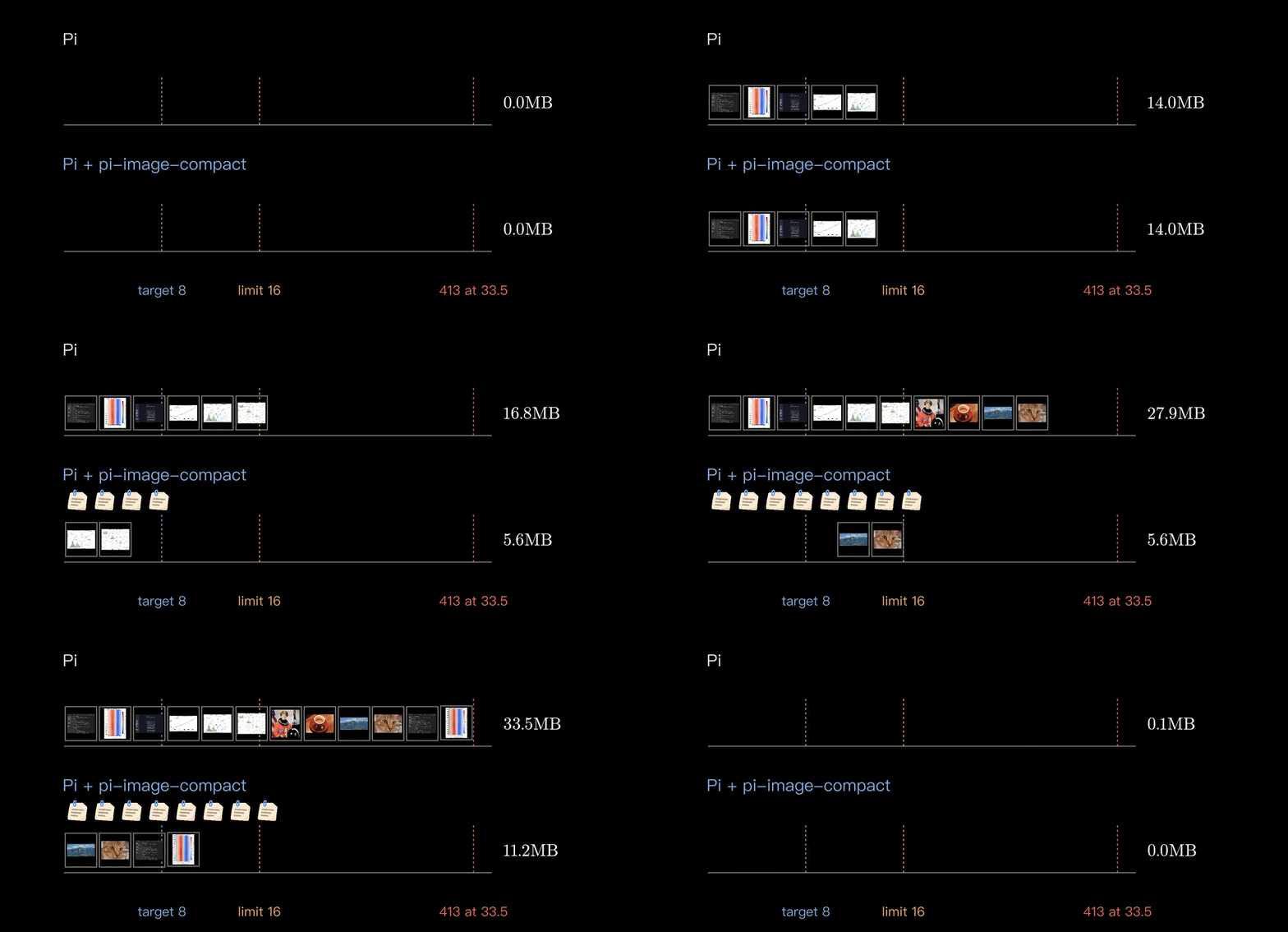
Keeps image-heavy Pi sessions small, so a pile of screenshots no longer ends in a 413 "request too large" error. In a modelled session of 12 large figures, every request stays under 16 MB and the session sends about half the image tokens (182k instead of 373k). On a public test set of 12 screenshots, plots and photos, WebP made the images a third smaller (3.22 → 2.16 MB).
https://github.com/user-attachments/assets/0c29e6ea-4655-4c62-b5bc-14967bd5dcc7
Also on YouTube.
pi install npm:pi-image-compactFour independent extensions; turn any of them off with pi config: compress · budget · prune · status
Development
npm install && npm testContributing
I am still learning, so ideas, issues and pull requests are all very welcome.
License
MIT