pi-notify
Desktop notifications for Pi agent via OSC 777/99/9 and Windows toast
Package details
Install pi-notify from npm and Pi will load the resources declared by the package manifest.
$ pi install npm:pi-notify- Package
pi-notify- Version
1.5.0- Published
- Nov 12, 2026
- Downloads
- 934/mo · 210/wk
- Author
- ferologics
- License
- MIT
- Types
- extension
- Size
- 10 MB
- Dependencies
- 0 dependencies · 1 peer
Pi manifest JSON
{
  "video": "https://raw.githubusercontent.com/ferologics/pi-notify/master/demo.mp4",
  "extensions": [
    "index.ts"
  ]
}Security note
Pi packages can execute code and influence agent behavior. Review the source before installing third-party packages.
README
pi-notify
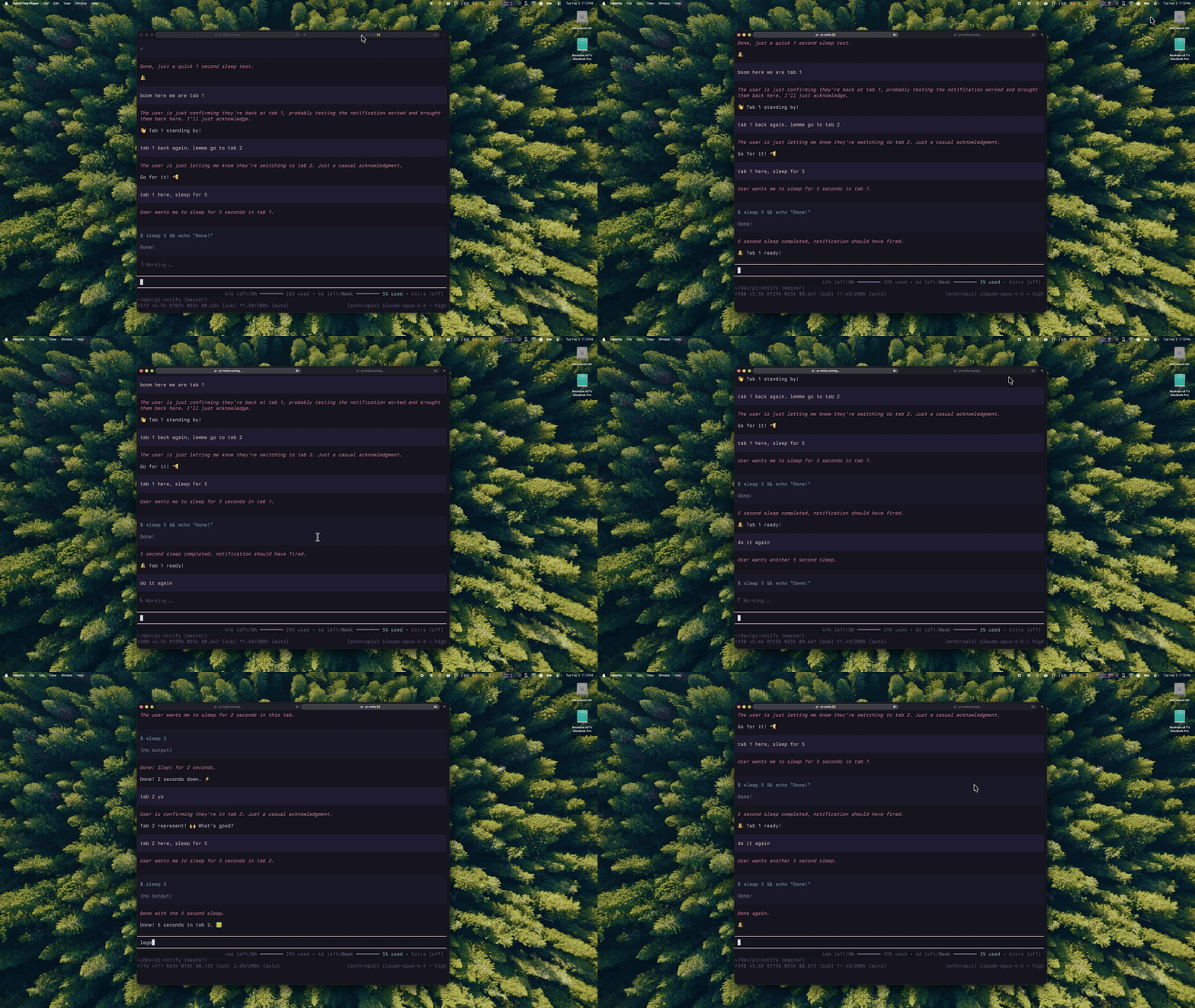
A Pi extension that sends a native desktop notification when the agent finishes and is waiting for input.
Compatibility
| Terminal | Support | Protocol |
|---|---|---|
| Ghostty | ✓ | OSC 777 |
| Rex | ✓† | none: Rex notifies by itself |
| iTerm2 | ✓ | OSC 9 |
| WezTerm | ✓ | OSC 777 |
| rxvt-unicode | ✓ | OSC 777 |
| Kitty | ✓ | OSC 99 |
| tmux (inside a supported term) | ✓* | tmux passthrough + OSC 777/99/9 |
| Windows Terminal | ✓ | Windows toast (PowerShell) |
| Windows Terminal 1.26+ Preview | ✓ | OSC 777, opt-in |
| Terminal.app | ✗ | — |
| Alacritty | ✗ | — |
† Pi reports its status to Rex (OSC 7501), and Rex's Program Activity settings turn that into notifications, so pi-notify sends none there (only the sound hook runs).
* tmux requires passthrough enabled in your tmux config:
set -g allow-passthrough onInstall
pi install npm:pi-notifyOr via git:
pi install git:github.com/ferologics/pi-notifyRestart Pi. Needs Pi 0.80.4 or newer.
How it works
The notification fires on Pi's agent_settled event: once the run is over and nothing else will start on its own (no retry, compaction, or queued message). It does not fire when:
- you stop the run with Esc
- Pi runs without its terminal UI (
pi -p, piped output, JSON or RPC mode), so nested and scripted runs stay quiet
The title names the session, or the folder Pi runs in if the session has no name: Pi (my-project).
The protocol comes from the terminal:
- OSC 777 (Ghostty, WezTerm, rxvt-unicode): the default
- OSC 9 (iTerm2): detected via
TERM_PROGRAM=iTerm.app,ITERM_SESSION_ID, orLC_TERMINAL=iTerm2(which SSH passes along) - OSC 99 (Kitty): detected via
KITTY_WINDOW_ID - Windows toast (Windows Terminal): a PowerShell notification, detected via
WT_SESSION - tmux passthrough: OSC sequences are wrapped automatically when
TMUXis set
Clicking an OSC notification focuses the terminal window/tab. Clicking a Windows toast does not take you back to the tab.
Choosing the protocol
If detection picks the wrong one (for example inside a long-running tmux session started from another terminal), set PI_NOTIFY_PROTOCOL to osc777, osc9, osc99, or toast:
export PI_NOTIFY_PROTOCOL=osc9Windows Terminal
By default pi-notify shows a Windows toast through PowerShell.
Windows Terminal 1.26+ (currently Preview) can show OSC 777 notifications itself, and clicking one jumps to the tab that sent it. To use that:
Install Preview:
winget install --id Microsoft.WindowsTerminal.Preview --exact --source wingetTurn on notifications in Preview's settings JSON (in
profiles.defaultsor your Pi profile):"compatibility.allowOSC777": trueTell pi-notify to use OSC 777:
export PI_NOTIFY_PROTOCOL=osc777
If clicking also opens an extra window, turn off Run this profile as Administrator for that profile, then reopen Preview normally.
WSL in other terminals
Outside Windows Terminal (VS Code's terminal, the classic console), pi-notify can't tell which terminal you're in, so it sends OSC 777, which those terminals ignore. Use the toast instead:
export PI_NOTIFY_PROTOCOL=toastOptional: Custom sound hook
You can run a custom command whenever a notification is sent by setting PI_NOTIFY_SOUND_CMD.
This keeps the extension tiny and cross-platform: you choose the command for your OS.
Note: This is an additional sound hook. It does not replace native terminal/system notification sounds.
Example (macOS)
set -Ux PI_NOTIFY_SOUND_CMD 'afplay ~/Library/Sounds/Glass.aiff'Example (Linux)
export PI_NOTIFY_SOUND_CMD='paplay /usr/share/sounds/freedesktop/stereo/complete.oga'Example (Windows PowerShell)
$env:PI_NOTIFY_SOUND_CMD = 'powershell -NoProfile -Command "[console]::beep(880,180)"'The command is run in the background (shell: true, detached) so it won't block Pi.
For extension authors: cancel or change a notification
Before sending, pi-notify emits pi-notify:before-notify on Pi's event bus with { title, body, cancel }. Set cancel to skip the notification (the sound hook is skipped too), or change title/body:
pi.events.on("pi-notify:before-notify", (data) => {
    const notification = data as { title: string; body: string; cancel: boolean };
    if (backgroundWorkRunning()) notification.cancel = true;
});
Decide synchronously: anything set after an await comes too late.
What's OSC 777/99/9?
OSC = Operating System Command, part of ANSI escape sequences. Terminals use these for things beyond text formatting (change title, colors, notifications, etc.).
777 is the number rxvt-unicode picked for notifications. Ghostty and WezTerm adopted it. iTerm2 uses 9 instead, and Kitty uses 99 with a more extensible protocol.
Known Limitations
- tmux works only with passthrough enabled (
set -g allow-passthrough on). - zellij/screen are still unsupported for OSC notifications.
License
MIT